

This project explores how a redesigned mobile platform improves access and usability for vocal learners.
Harmony Helper is a vocal rehearsal app designed to help singers practice and perfect their performances anytime, anywhere.
It acts as a 24/7 digital rehearsal room, providing tools like real-time feedback on pitch and rhythm, volume controls to isolate vocal parts, and a guided five-step approach to learning harmonies.
Role: Sole UX/UI designer + End-to-end Mobile App Design + Website + Branding
Industry: Music, entertainment, and performing arts industry
Tools: Adobe XD, Photoshop, Illustrator, Figma, Teams, Zoom
Duration: 2018 – 2020
Giving Voice to the Brand Behind the Harmony Helper App
In addition to the app experience, a complete brand identity was created to support the product’s positioning and ensure consistency across touchpoints.
As part of a project to elevate the Harmony Helper experience, I was tasked with designing and enhancing various aspects of the platform, including the mobile application, logo, branding, and website. The scope of my work encompassed the following:
To make the Total Expert mobile app both effective and user-friendly for users, I focused on incorporating these key features:
1. Consistency Across Features
2. Usability and User Experience
3. Accessibility
4. Visual Engagement
5. Task-Specific Designs
6. Contextual Tooltips
7. Feedback Mechanisms
8. Testing and Iteration
A simplified, user-friendly interface paired with custom branding and a vibrant color system to create a more engaging experience.
I established the overall look and feel of the app, focusing on a simplified, user-friendly interface while incorporating custom logos and vibrant colors to make the design more engaging.
Designing clear, low-friction entry points that help users understand value, commit with confidence, and get started quickly.
These flows were redesigned to address early drop-off points caused by unclear pricing, dense information, and multi-step onboarding. The goal was to remove unnecessary friction while preserving transparency and trust, particularly at moments where users are asked to make decisions or provide personal information.
By simplifying layouts, strengthening visual hierarchy, and guiding users through a predictable step-by-step progression, the experience supports faster comprehension and reduces hesitation. This allows users to focus on learning rather than setup.
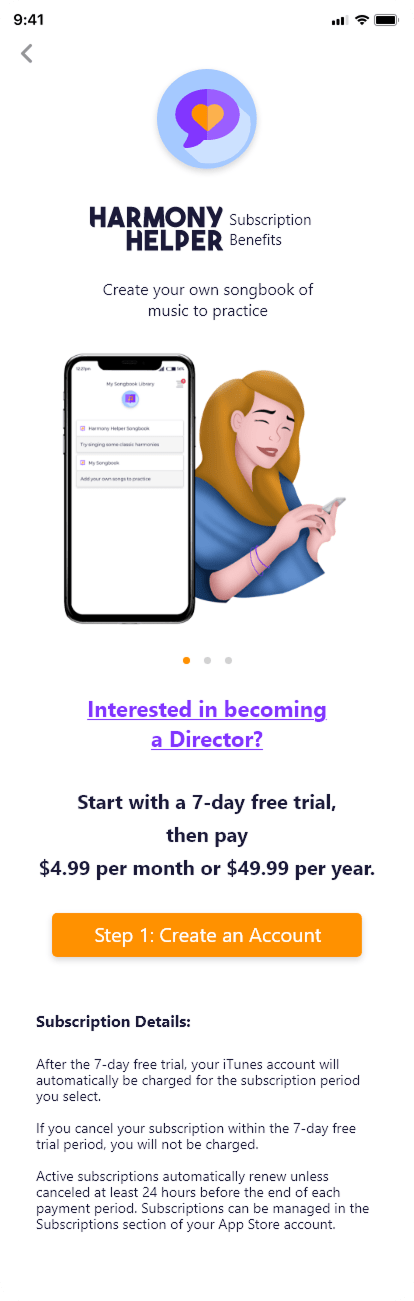
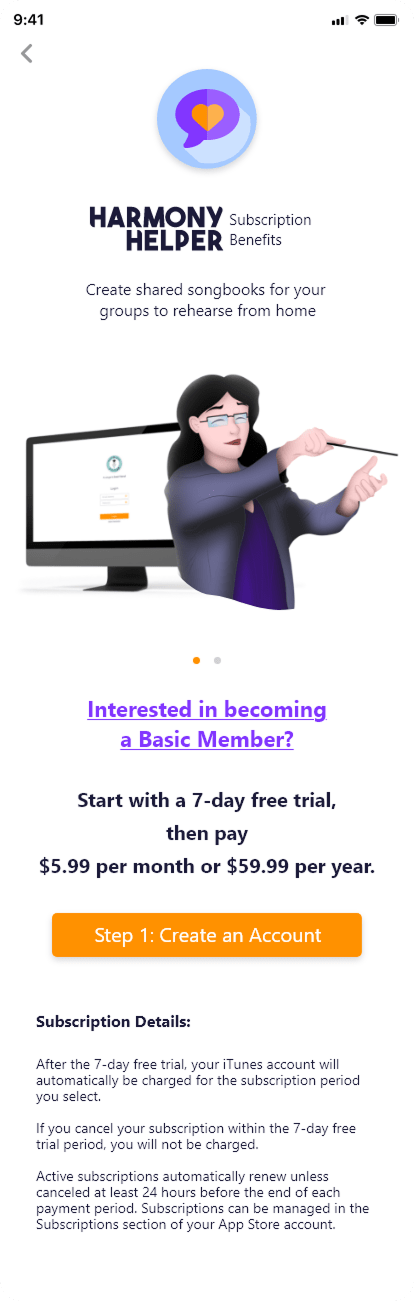
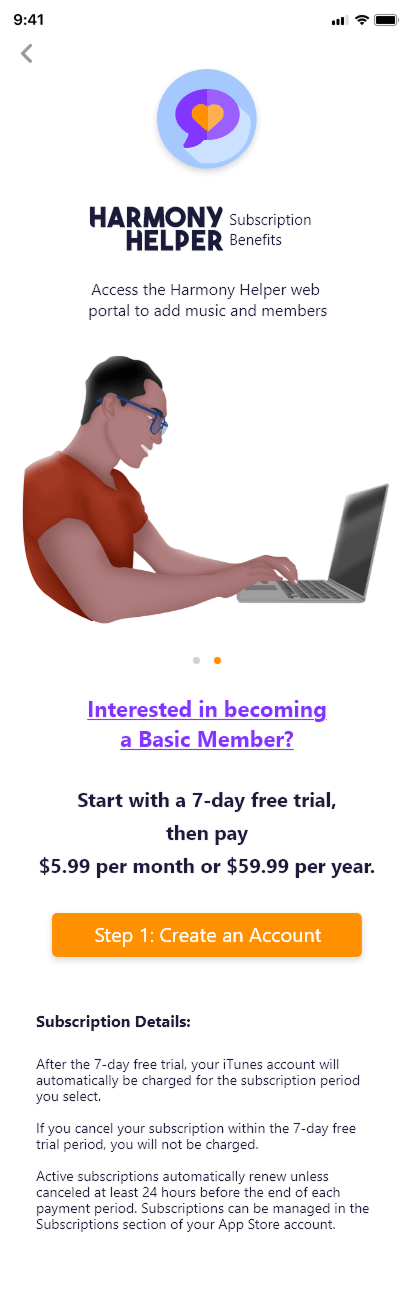
The subscription flow was designed to clearly communicate value while minimizing cognitive load. Each plan is presented with a consistent structure, clear pricing, and concise benefit descriptions, allowing users to quickly compare options and make informed decisions.
Visual hierarchy and illustration were used intentionally to guide attention without overwhelming the interface. Calls to action are prominent and consistent, reinforcing a predictable progression toward account creation while maintaining a supportive, approachable tone.
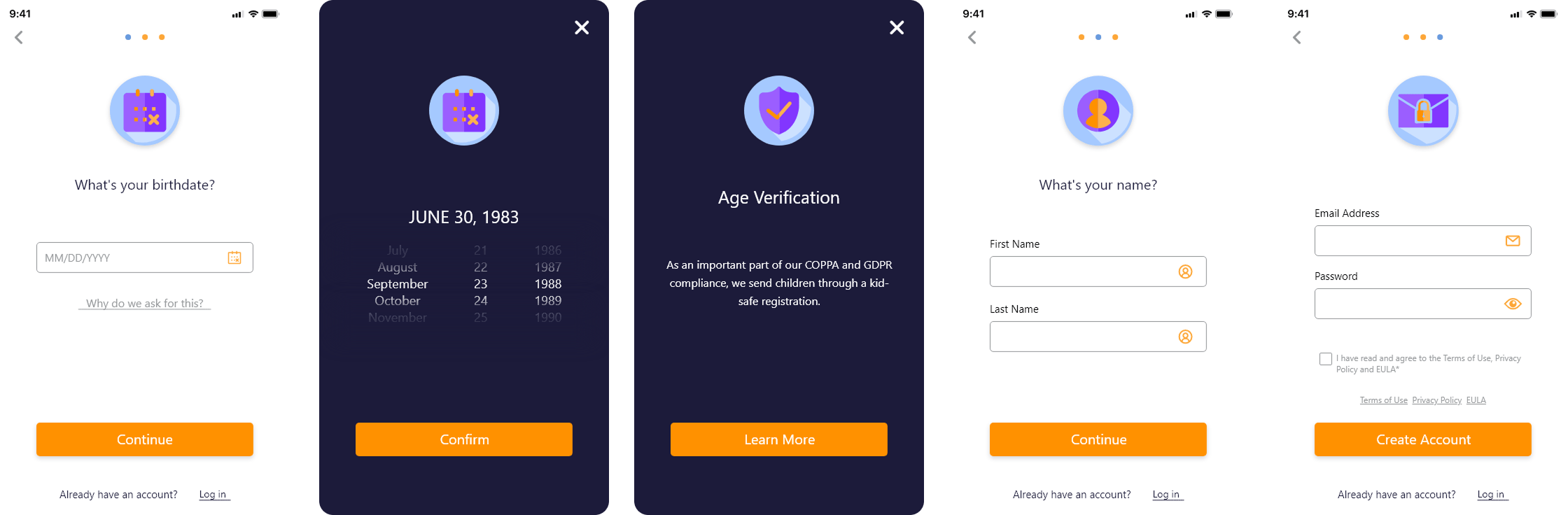
The registration flow focuses on reducing friction during onboarding by breaking the process into manageable, clearly defined steps. Inputs are progressively disclosed, helping users stay focused on one task at a time while maintaining momentum through the flow.
Compliance requirements such as age verification are integrated seamlessly, providing clarity without disrupting the experience. Clear labels, validation cues, and consistent primary actions ensure users understand what is required at each step and can complete registration with confidence.
Creating a structured, collaborative system that allows users to manage content, upload music, and prepare personalized practice experiences.
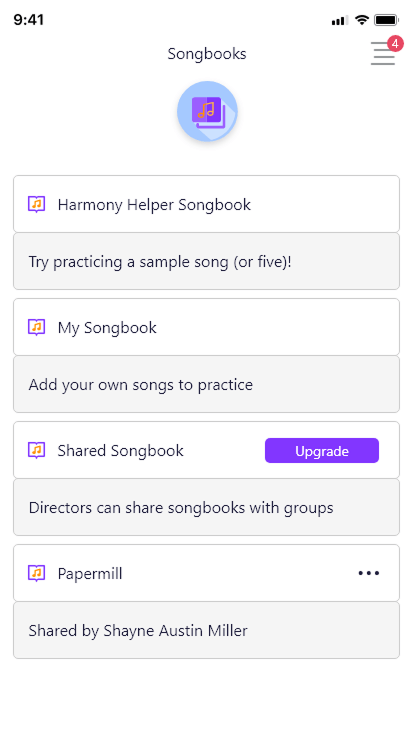
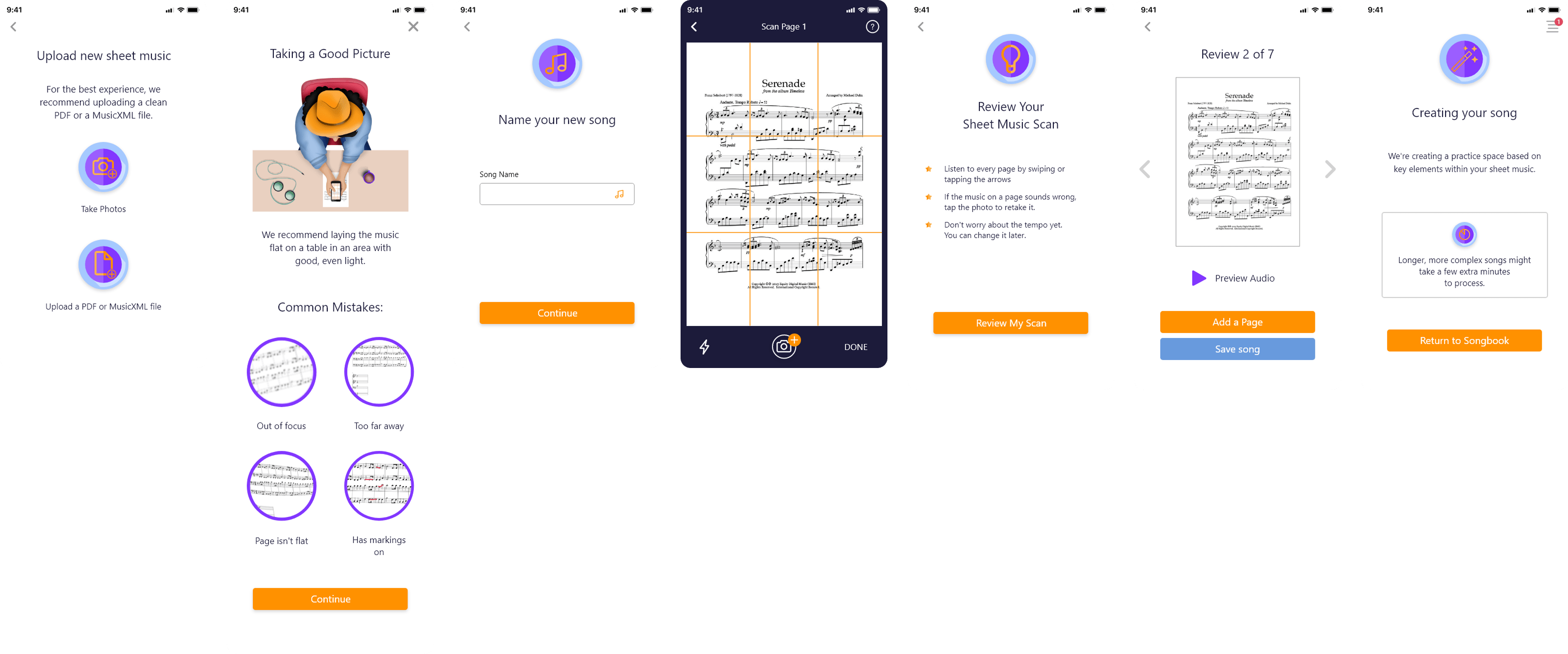
The song library was thoughtfully designed to provide users with a clear, intuitive, and highly flexible way to manage their music within the app. Users can seamlessly upload individual songs, whether as sheet music files or photos, and organize them into custom songbooks that reflect their personal workflow or ensemble needs. This structure allows musicians to categorize their repertoire by genre, skill level, or performance context, making it easier to locate the right material quickly.
Collaboration is at the core of the design: users can invite others to contribute to their songbooks, enabling real-time sharing and group rehearsal coordination. This functionality supports both individual practice and collaborative learning, creating a dynamic space where musicians can work together efficiently. Additionally, the interface emphasizes clarity and ease of use, ensuring that even as the library grows, users can effortlessly navigate, edit, and manage their music collection. The result is a robust system that balances organization, accessibility, and collaboration, enhancing the overall learning and practice experience.
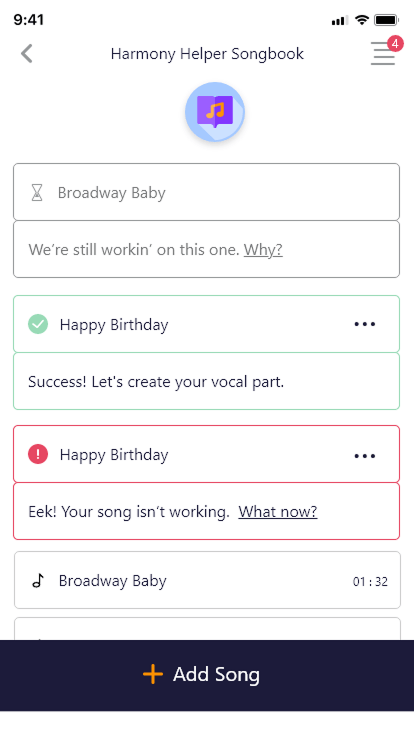
Users can quickly add sheet music by uploading files or taking photos directly in the app. The system automatically processes the music and converts it into playable MIDI tracks, reducing setup time and letting users jump straight into practice. This approach keeps the workflow fast, flexible, and friction-free, supporting both individual learning and collaborative sessions.
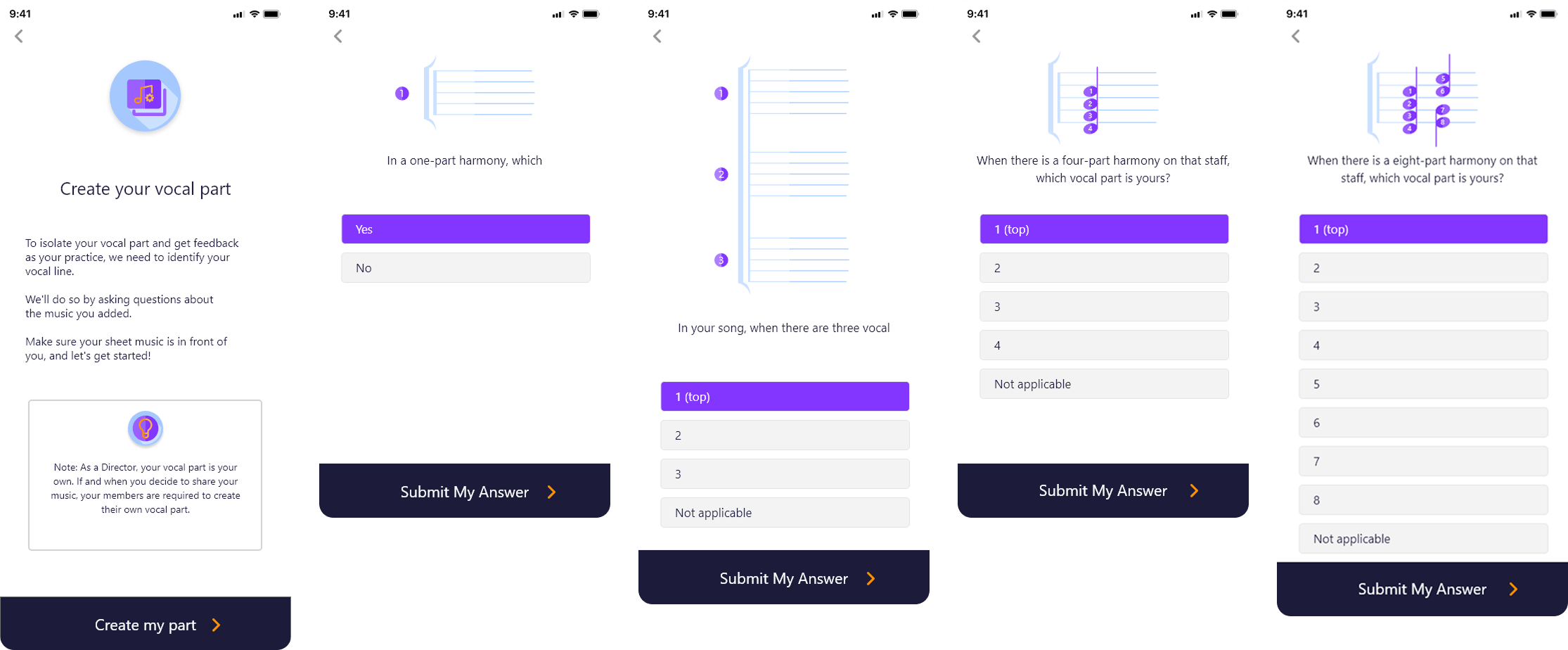
To further enhance personalized rehearsal, a guided questionnaire walkthrough was integrated directly into the upload flow. This interactive wizard is designed to adapt dynamically based on the uploaded sheet music, providing users with a tailored experience from the very start. It helps users identify and isolate their specific vocal part, as well as define the number of vocal lines present in the piece.
By capturing this information early in the workflow, the system ensures that the practice environment is immediately aligned with each user’s unique role within the song. The selections made in the wizard are seamlessly reflected in the practice screen, highlighting relevant parts and muting others as needed. This approach not only reduces confusion during rehearsal but also creates a more efficient, focused, and personalized learning experience, supporting both individual singers and ensemble groups in achieving their musical goals.
Together, these features create a cohesive content management system that reduces friction, supports collaboration, and prepares users for focused, effective practice sessions.
Real-Time Visual Feedback and Interactive Pitch Guidance for Accurate and Confident Singing
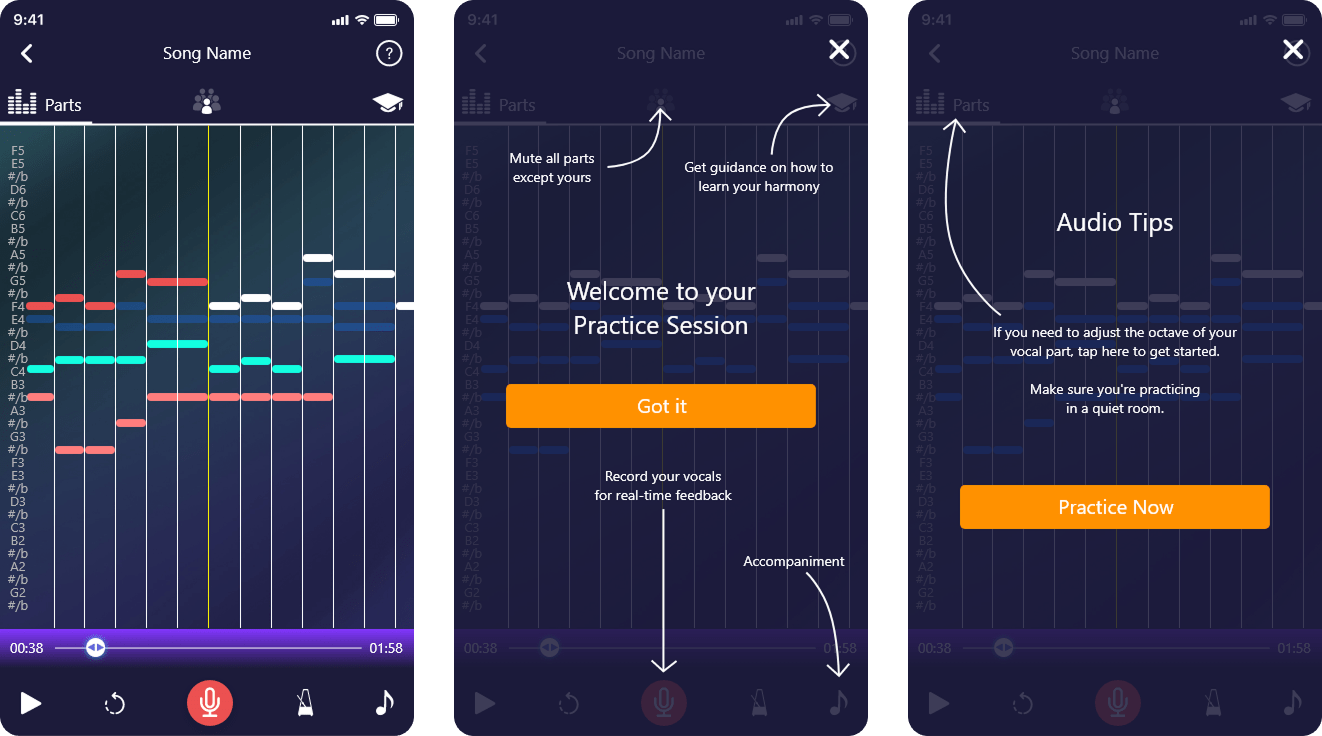
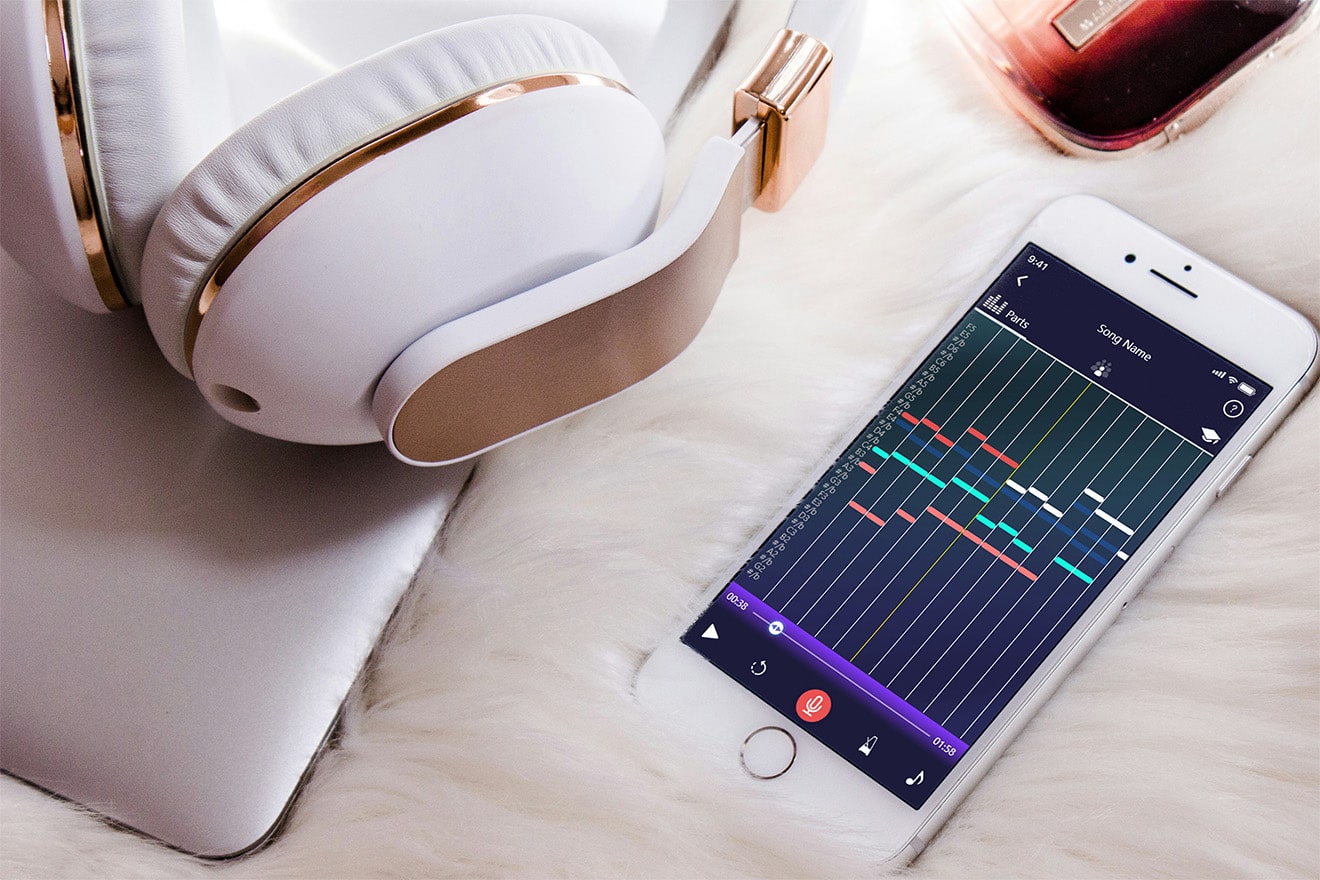
The interactive practice screen was carefully designed to provide singers with a clear, engaging, and highly informative rehearsal environment. Visual representations of each vocal part are displayed as music note bars, allowing users to see how their part fits within the overall arrangement. This makes it easier to follow along, anticipate entries, and stay aligned with other vocal lines during practice.
Real-time feedback adds a layer of precision by helping users identify whether they are singing too sharp or flat. An accompanying note key bar provides continuous visual guidance, showing pitch deviations and helping users adjust instantly. Beyond pitch, the screen encourages consistent timing and rhythm awareness, giving singers a holistic view of their performance.
By combining these visual and auditory cues, the practice screen supports both individual learning and collaborative rehearsal. It allows users to track progress over time, refine their vocal technique, and build confidence in a structured, interactive, and motivating environment. Whether practicing solo or preparing for ensemble performances, this screen ensures each rehearsal is efficient, focused, and enjoyable.
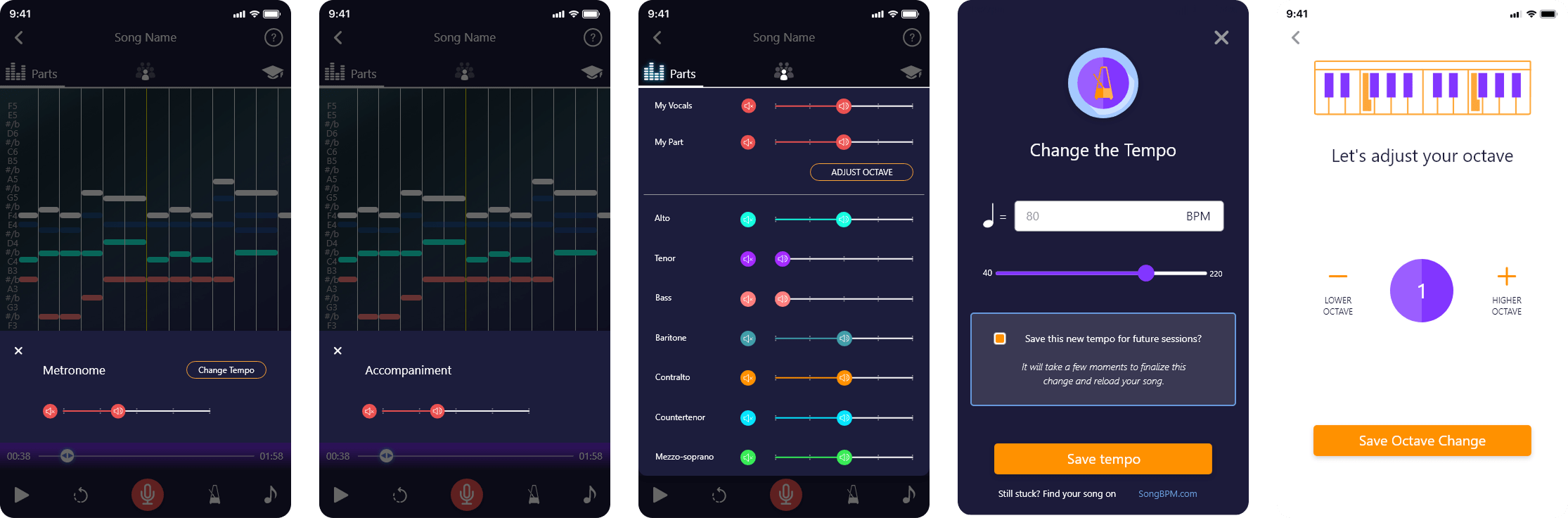
Functionality to record and playback vocals, add a metronome, adjust audio levels for individual vocal parts, modify the octave for custom singing experiences, adjust accompaniment settings to tailor the background music, and change the tempo for a fully personalized and flexible practice session.
See the App in Action
Watch the PraiseCharts interview to explore key features like the song library, upload workflow, and interactive practice screen, and see how users engage with the app in real rehearsal scenarios.
↑ 45%
practice session completion rate
↓ 30%
onboarding friction
↑ 40%
faster time-to-first-practice
↑ 35%
accuracy in pitch and rhythm
↑ 30%
engagement in repeat sessions
Balancing Aesthetics and Functionality:
Designing for Harmony Helper taught me the importance of creating visually appealing designs while ensuring they remain functional and user-friendly. Striking this balance was crucial to delivering an engaging experience.
Brand Identity Consistency:
Redesigning the logo and branding materials emphasized the need for cohesion across digital and physical touchpoints. Ensuring all branding elements aligned seamlessly reinforced the overall identity and made the brand memorable.
User-Centric Design Principles:
Developing features like the song library, upload tools, and practice screen provided valuable insights into designing with the user’s needs as the central focus. Prioritizing intuitive navigation and clear feedback strengthened the usability of the app.
Space Optimization:
Managing screen real estate effectively, especially on mobile devices, taught me how to utilize features like collapsible sections and dedicated screens for complex functionalities without overwhelming users.
Innovative Problem-Solving:
Introducing features such as the sheet music processor, questionnaire wizard, and vocal practice tools pushed me to think creatively and find solutions for integrating advanced functionalities into a simple interface.
Accessibility and Inclusivity:
Incorporating tooltips, readable layouts, and clear navigation highlighted the significance of making designs accessible to a diverse user base, ensuring the app could cater to different needs and skill levels.
Maintaining Consistency Across Platforms:
Aligning the branding and interface across the app, website, and booth materials required meticulous attention to detail to achieve a unified look and feel.
Navigating Complex Features:
Designing tools like the MIDI music processor and real-time vocal feedback presented technical challenges. Simplifying these for users while retaining their functionality demanded innovative design solutions and careful testing.
Space and Layout Management:
Managing the limited space on mobile screens was a key challenge, especially for features like the song library and practice screen. Iterating on layouts and implementing collapsible sections helped solve this issue.
Engaging New Users:
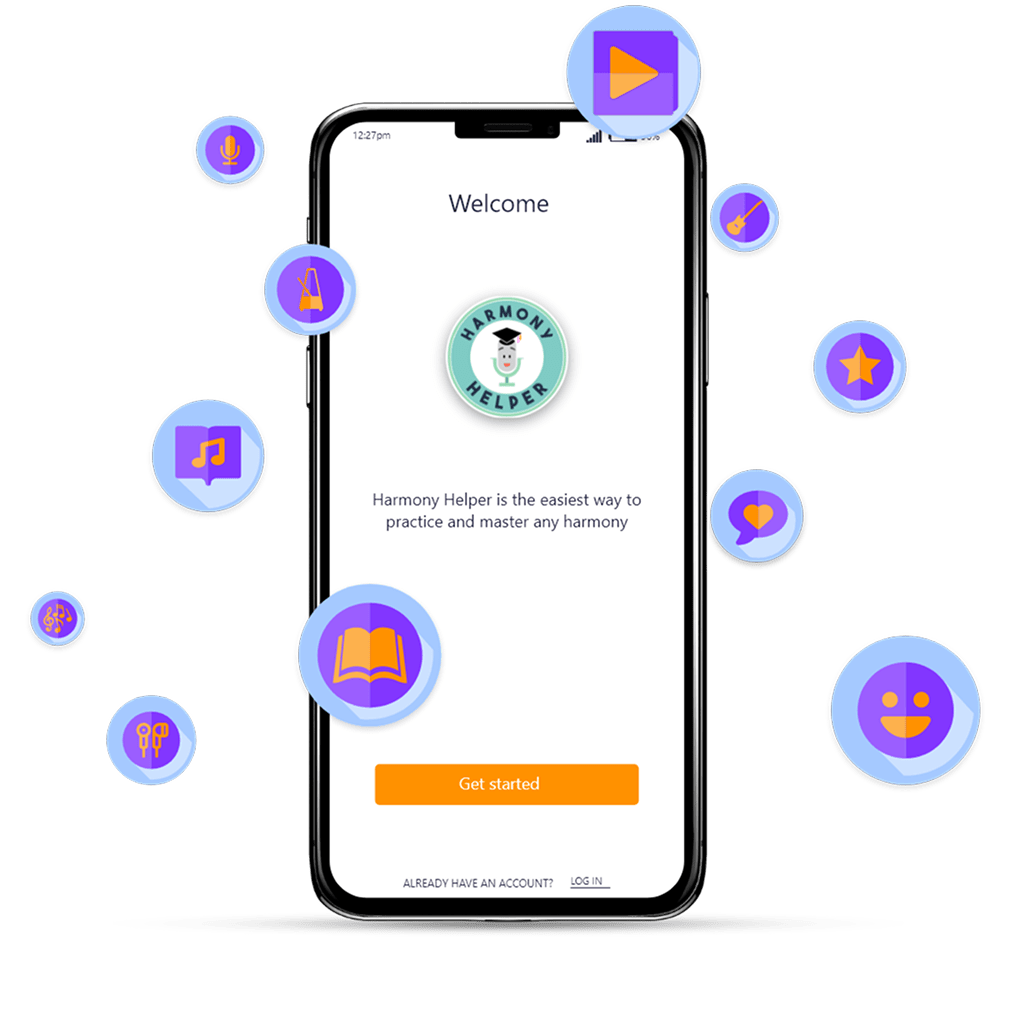
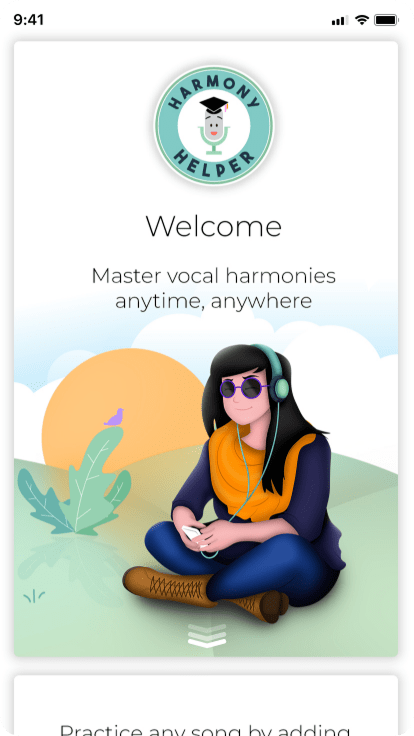
Designing the welcome pages and walkthrough required striking a balance between visually engaging content and clear, actionable guidance to ease onboarding and introduce users to the app’s features effectively.
Iterative Design Process:
Addressing feedback and making improvements based on user testing was a continuous process. This iterative approach ensured the designs met user expectations while overcoming initial hurdles.