Designing a Scalable Digital Platform to Support Economic Growth and Civic Engagement
The St. Louis Development Corporation (SLDC) is the independent economic development agency serving St. Louis, Missouri.
It focuses on business growth, real estate development, and community transformation, aiming to create a vibrant, equitable, and thriving economy where all residents can prosper. SLDC supports small businesses, minority-owned enterprises, and large-scale development projects, helping to attract investment and stimulate economic progress in the region.
Role: Sole UX/UI designer + Brand Designer
Industry: Economic Development + Business Growth
Tools: Figma, Adobe XD, Teams, Jira
Duration: Sept 2022 – Dec 2022
I was instructed to design key screens for the St. Louis Development Corporation (SLDC) to create an intuitive, user-friendly experience that supports economic development initiatives. The screens included:
These designs prioritized functionality, clarity, and engagement, ensuring an optimized experience across desktop, tablet, and mobile devices.
To make designs both effective and user-friendly for users, I focused on incorporating these key features:
Enabling Residents, Developers, and Stakeholders to Access Economic Development Insights with Confidence
I designed a set of core platform screens that prioritized clarity, accessibility, and discoverability for a diverse audience, including residents, developers, and internal stakeholders. The experience focused on simplifying entry into the platform, presenting complex economic data in a digestible format, and supporting efficient navigation across high-traffic workflows.
Each screen was designed with accessibility, responsiveness, and scalability in mind, ensuring consistent performance across desktop, tablet, and mobile devices while aligning with SLDC’s civic mission and branding.
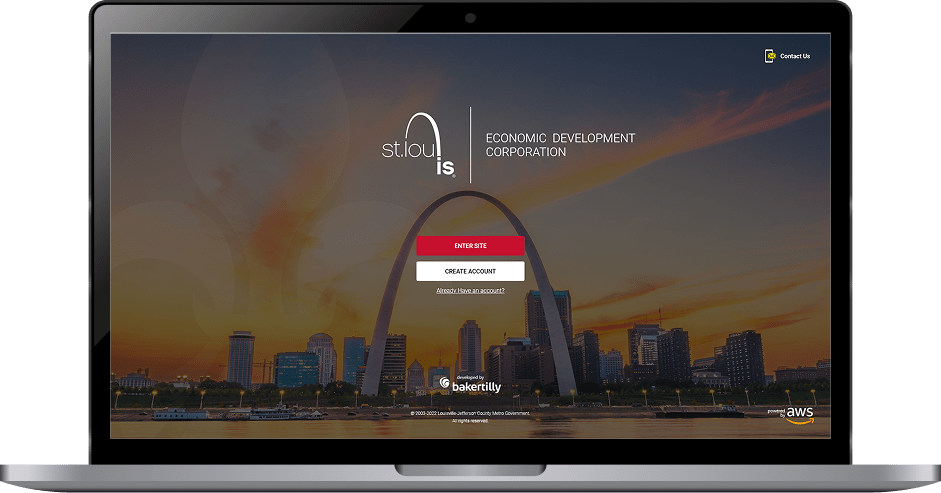
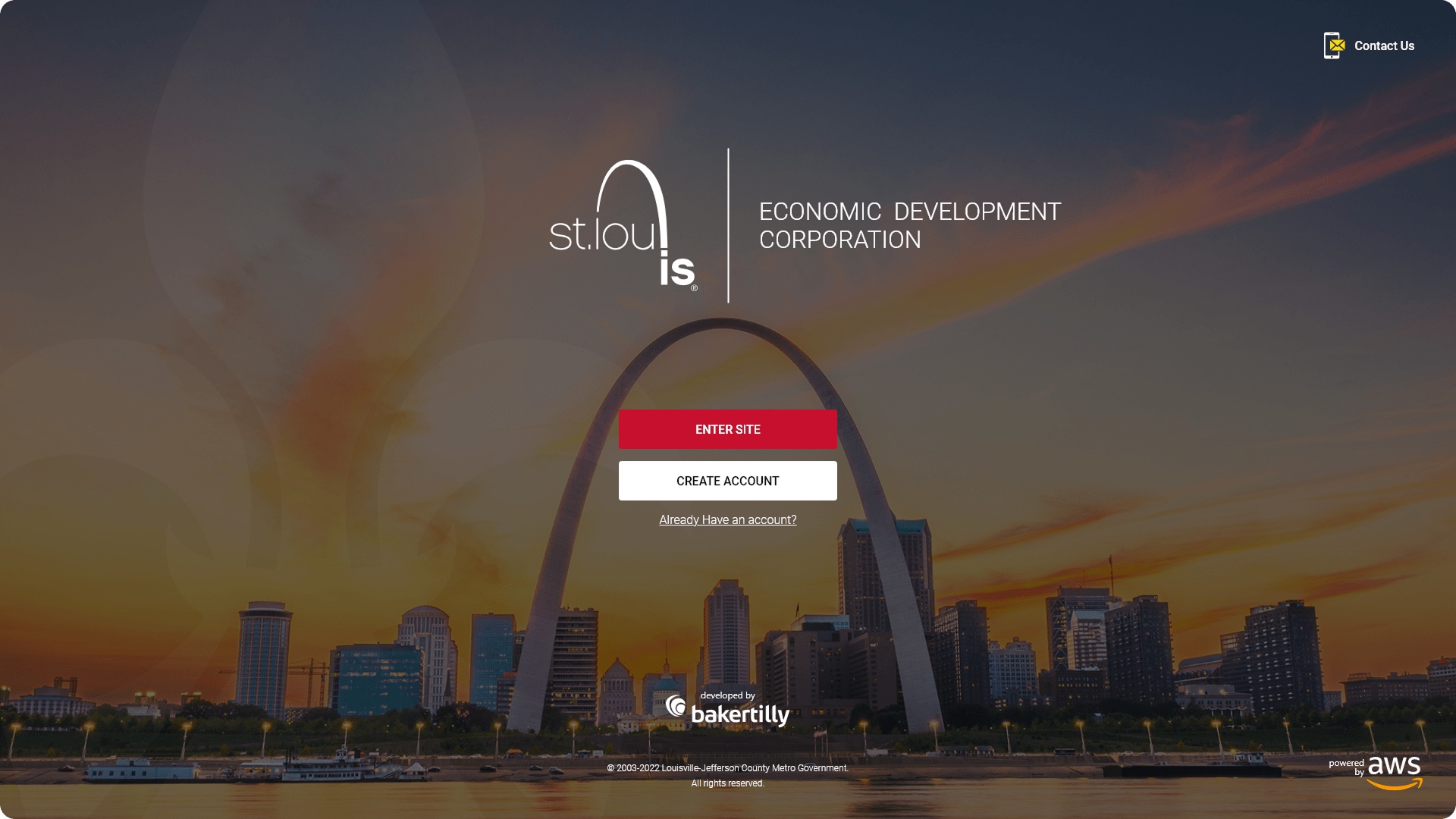
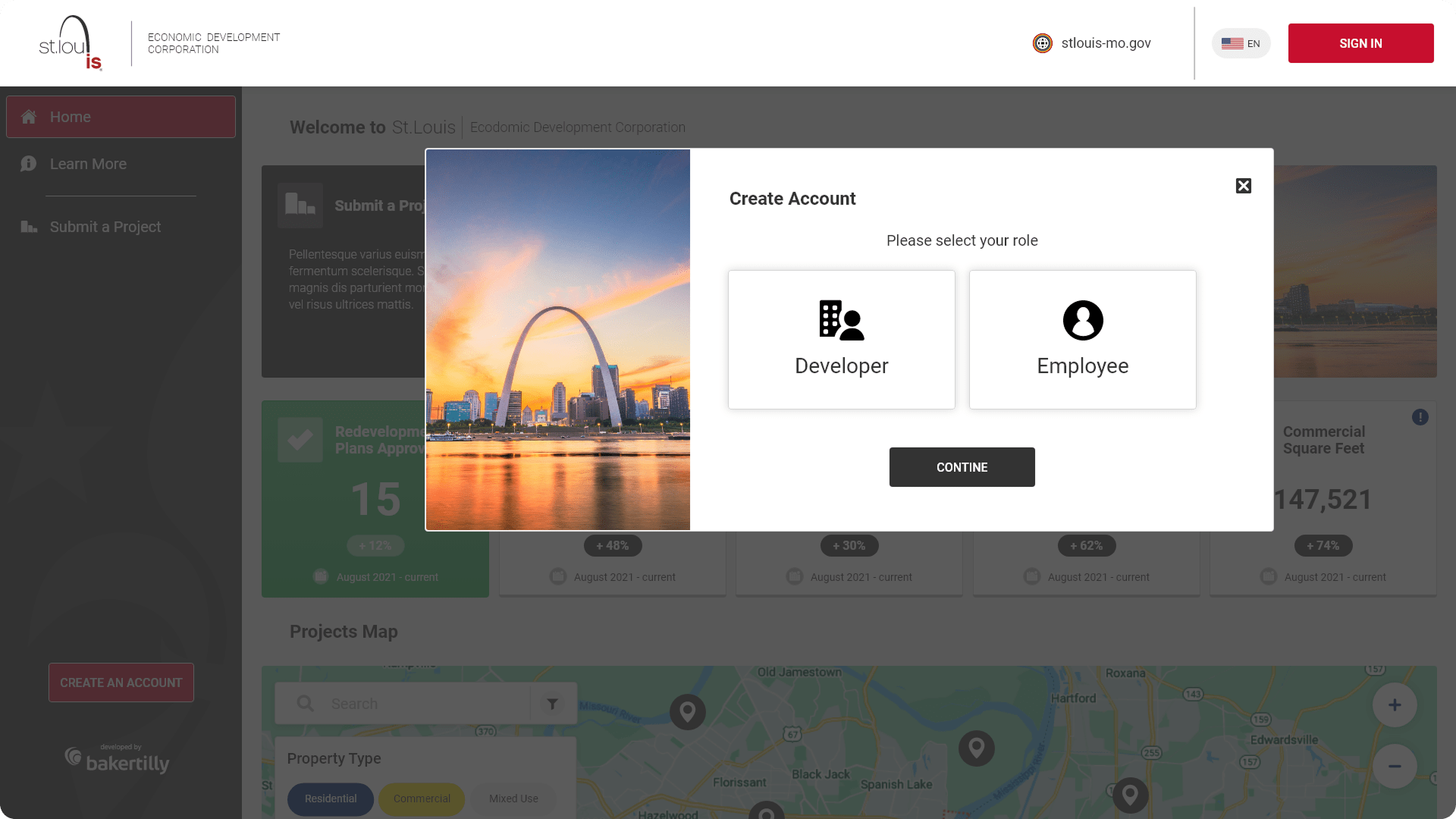
The login experience was designed as a structured entry point, allowing users to either enter the platform or create an account with minimal friction. The layout emphasized clarity, clear calls-to-action, and accessible form controls to support both first-time and returning users.
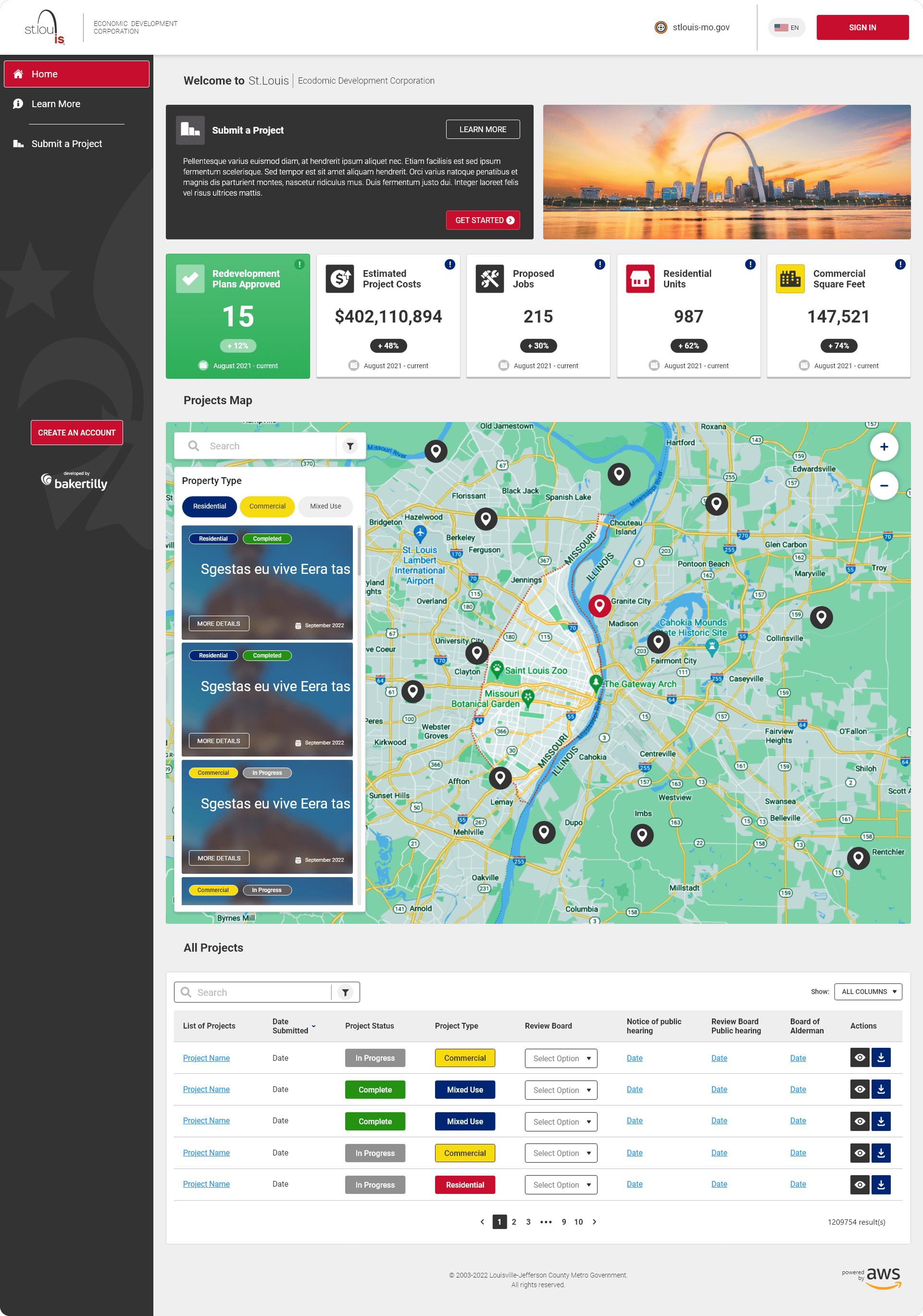
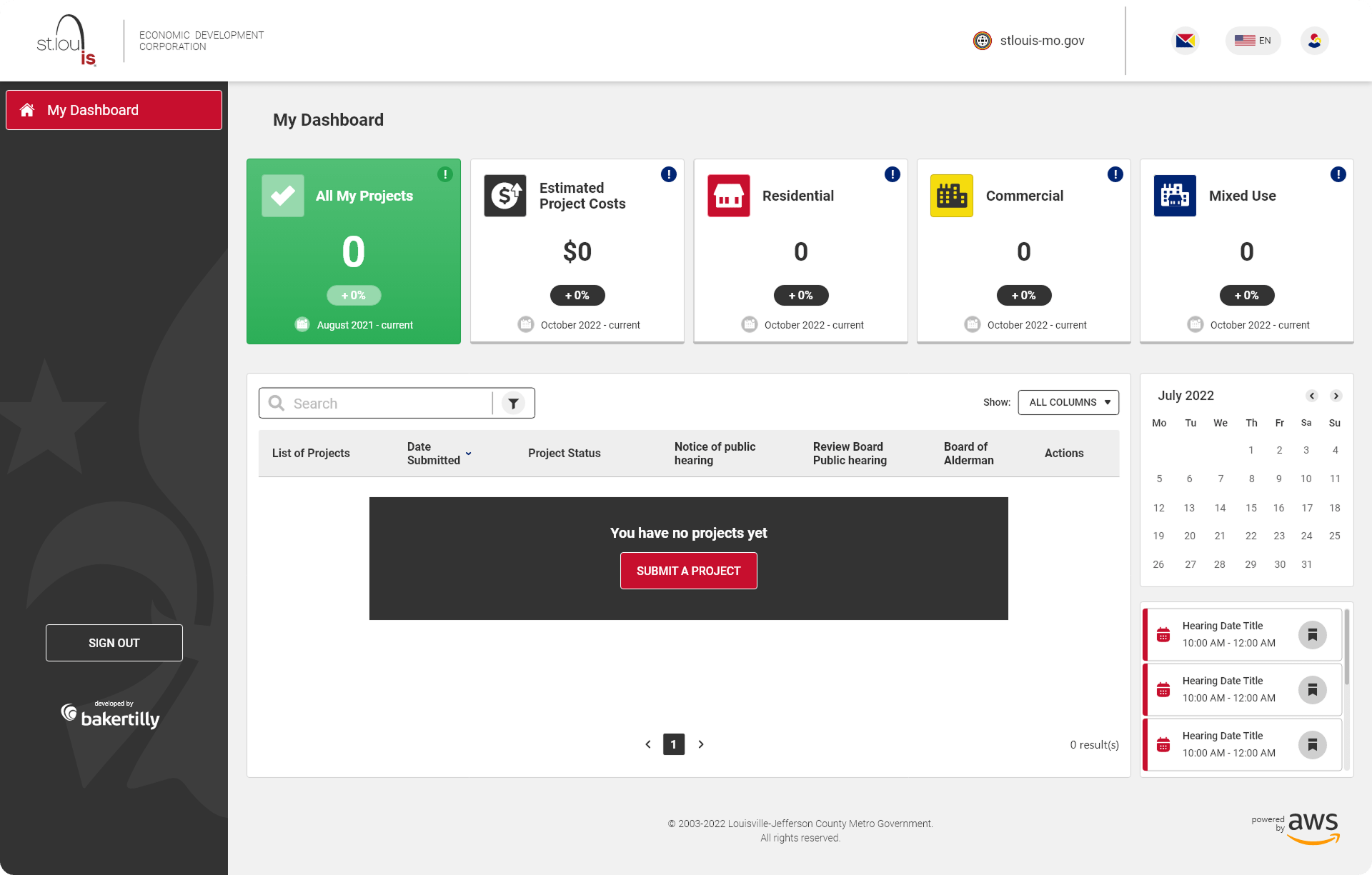
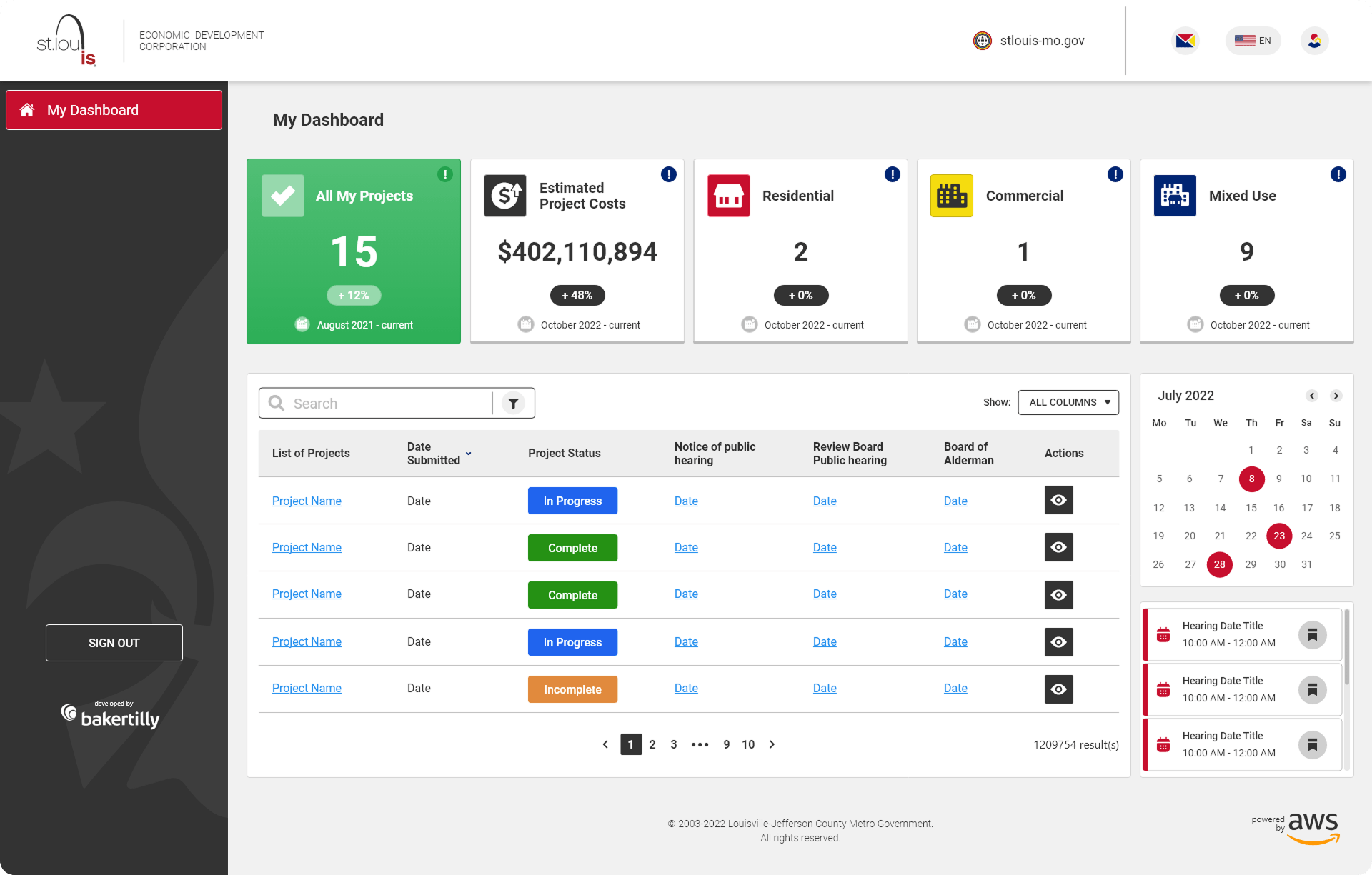
The home page functioned as a centralized dashboard, designed to surface key economic development insights at a glance while supporting deeper exploration.
Key Features
Five-Metric Display: Highlighted redevelopment plans approved, total estimated project costs, total jobs, total residential units, and total commercial square footage to provide immediate context and impact.
Projects Map: Interactive map with Google Maps-style filtering, allowing users to explore residential, commercial, and mixed-use developments through visual land-use tags.
Listed Projects Table: Structured for scannability, enabling users to efficiently browse and compare active developments.
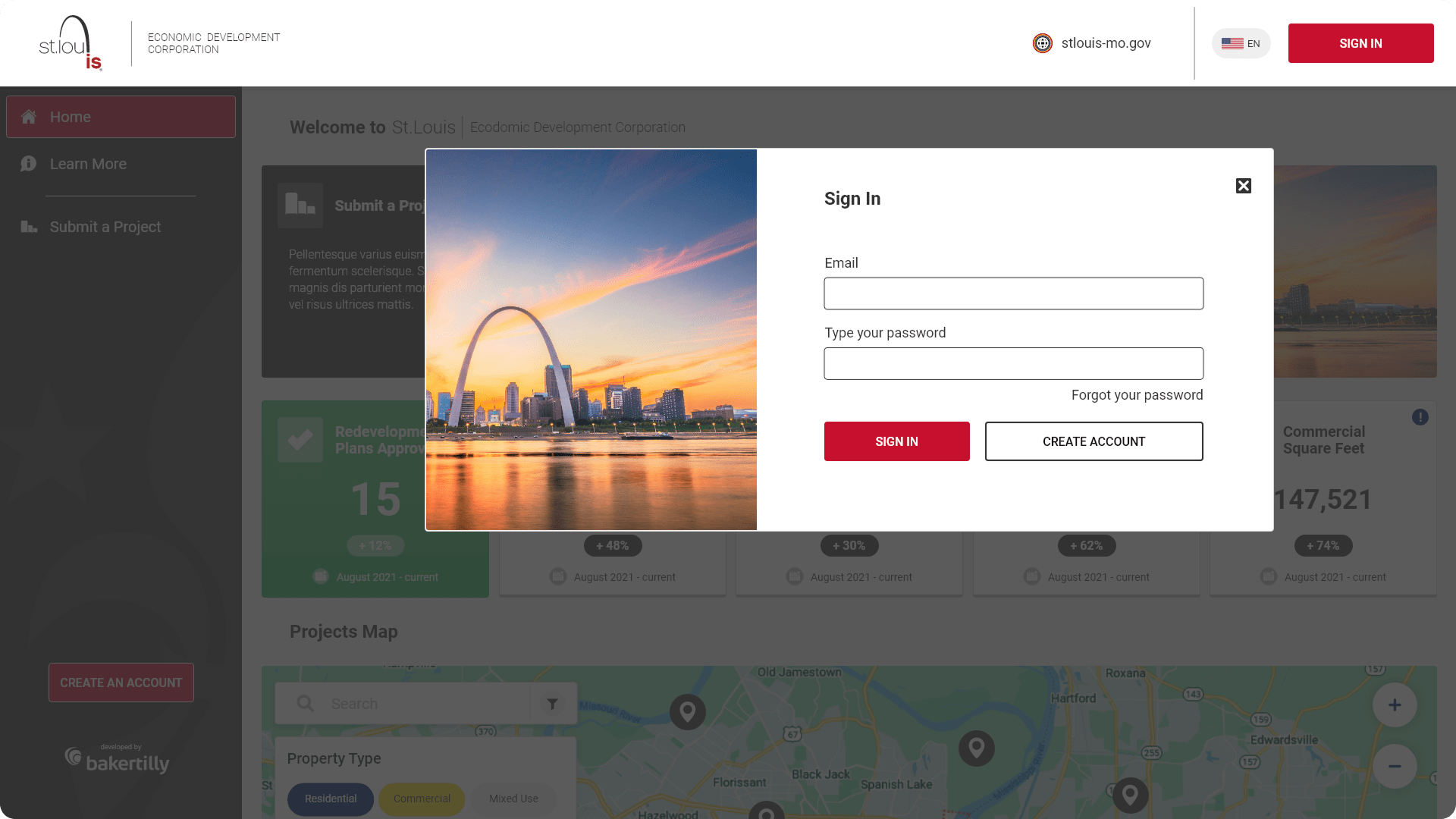
Authentication modals were designed to streamline login and account creation without disrupting the user’s primary workflow.
These modals were designed to simplify user authentication, ensuring a smooth login and account creation process.
The landing page mirrored the dashboard structure while providing a more detailed view of project categorization. The total jobs metric was replaced with total mixed-use developments to better reflect development diversity.
Additional Features
↓ 20–30%
reduction in navigation friction for first-time visitors
↓ 25–40%
decrease in data interpretation errors through clearer hierarchy and labeling
↑ 15–25%
improvement in time-to-insight when reviewing development data
↑ 30%
faster scanning of active projects and redevelopment metrics
↑ 20%
increase in user confidence when exploring public economic information